These docs are for an old release.
View the v7 docs
Docs Event Popover
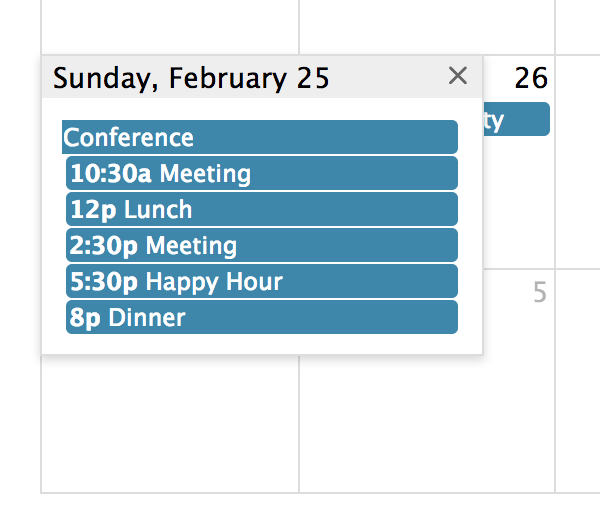
When not all events will fit in a given day, you can display the excess events in a small window that will show up when the user clicks a “more” link.
This UI component only applies to Month view, DayGrid view, and the “all-day” slot of TimeGrid view.
dayMaxEventRows
In dayGrid view, the max number of stacked event levels within a given day. This includes the +more link if present. The rest will show up in a popover.
dayMaxEvents
In, dayGrid view, the max number of events within a given day, not counting the +more link. The rest will show up in a popover.
eventMaxStack
For timeline view, the maximum number of events that stack top-to-bottom. For timeGrid view, the maximum number of events that stack left-to-right.
moreLinkClick
Determines what happens when the user clicks a “more” link. These links are created by the dayMaxEventRows or dayMaxEvents options.
dayPopoverFormat
Determines the date format of title of the popover created by the moreLinkClick option.
More-Link Render Hooks
moreLinkClassNames - a ClassName Input for adding classNames