These docs are for an old release.
View the v7 docs
Docs List View
A list view displays events in a simple vertical list for a specific interval of time. If there are no events during a specific interval of time, the noEventsMessage is displayed. List view was added in FullCalendar version 3.0.0. There are 4 preset list views: listDay, listWeek, listMonth, and listYear. You can initialize a list view like this:
$('#calendar').fullCalendar({
  defaultView: 'listWeek'
});
If you’d like a different interval of time, you can create a custom view with type 'list'.
The following settings are specific to list-view. However, many other settings throughout the API also affect list-view as well, such as eventRender and eventClick.
List-View-specific Options
listDayFormat
A date formatting string that affects the text on the left side of the day headings in list view.
listDayAltFormat
A date formatting string that affects the text on the right side of the day headings in list view.
noEventsMessage
The text that is displayed in the middle of list view, alerting the user that there are no events within the given range.
Demo:
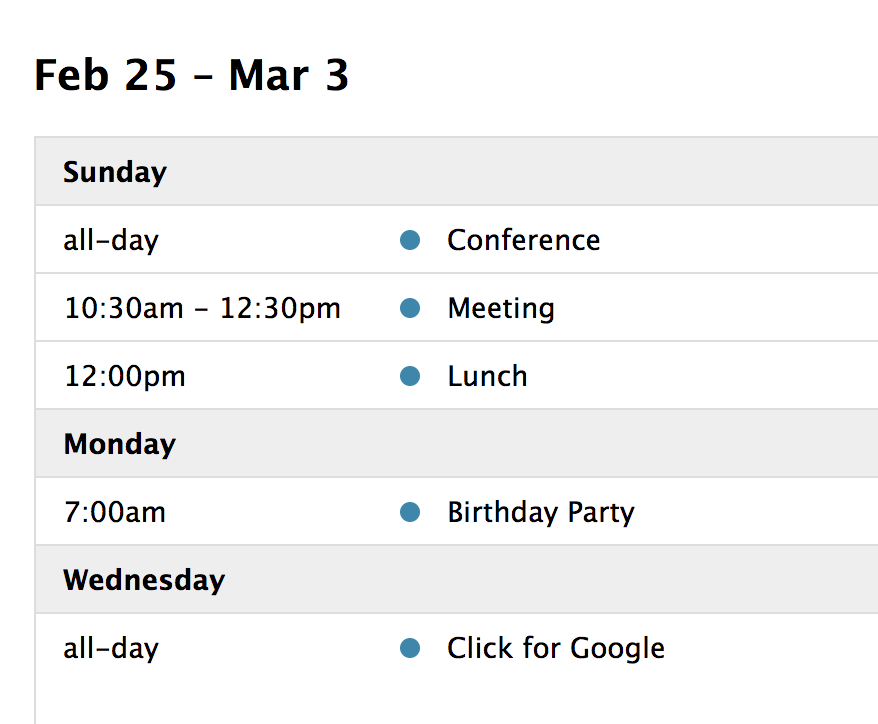
Assorted list views